Forgot Login and Withdraw Password
Q : How can I do if I forgot my password?
A :If you forgot your password, we have two way for recover your account password by receiving OTP code that we will separate as "Before Login" and "After Login" by the following step :
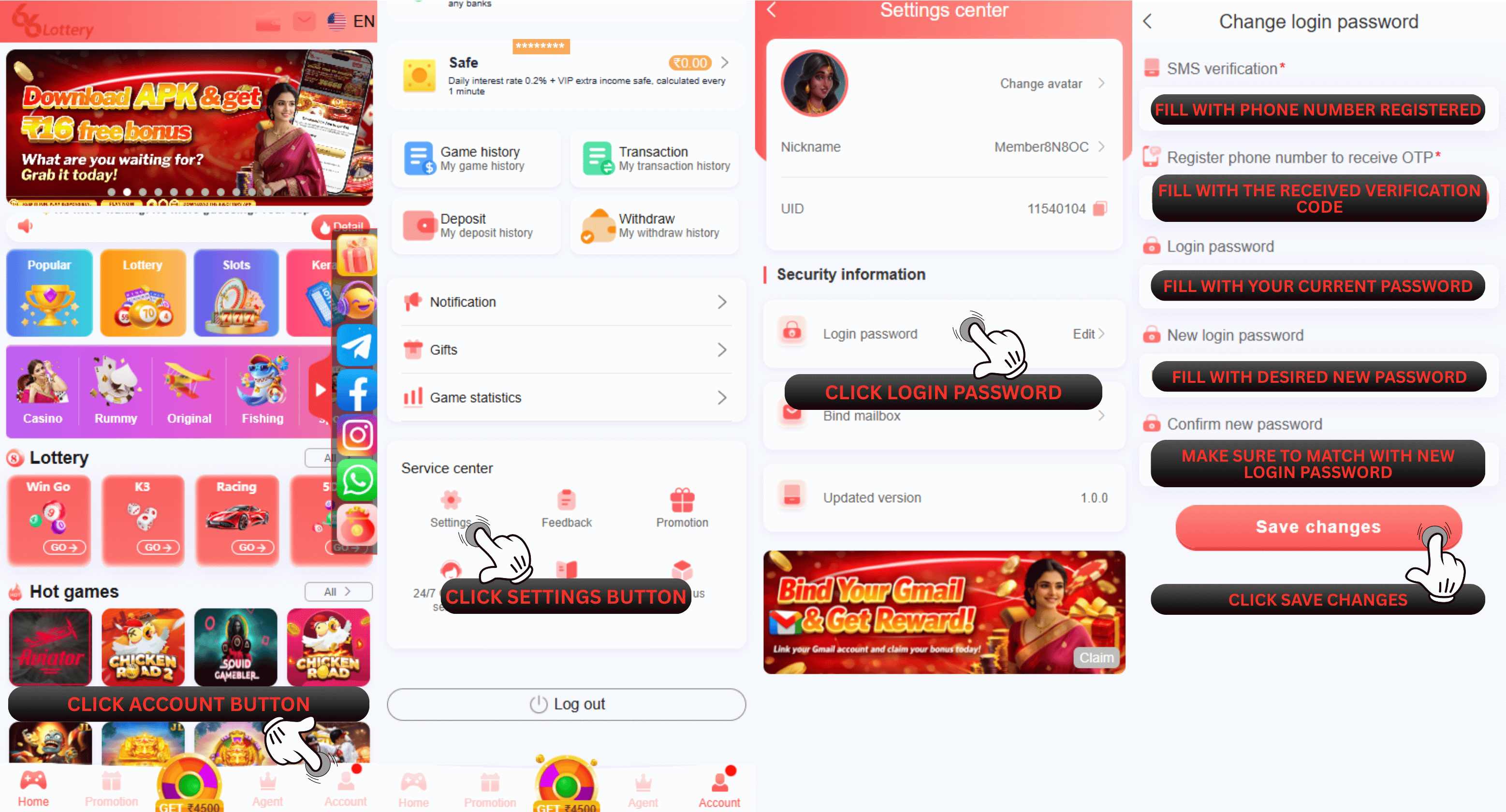
After Login1.Login to your Login Homepage
2.Click Customer Service button
3.Choose Change ID Login Password
4.Choose Can Receive
5.Fill the new password
6.Click Send and a verification code will be sent to your registered phone number
7.After receive the verification code, fill the verification code
8.Click the "Confirm"button
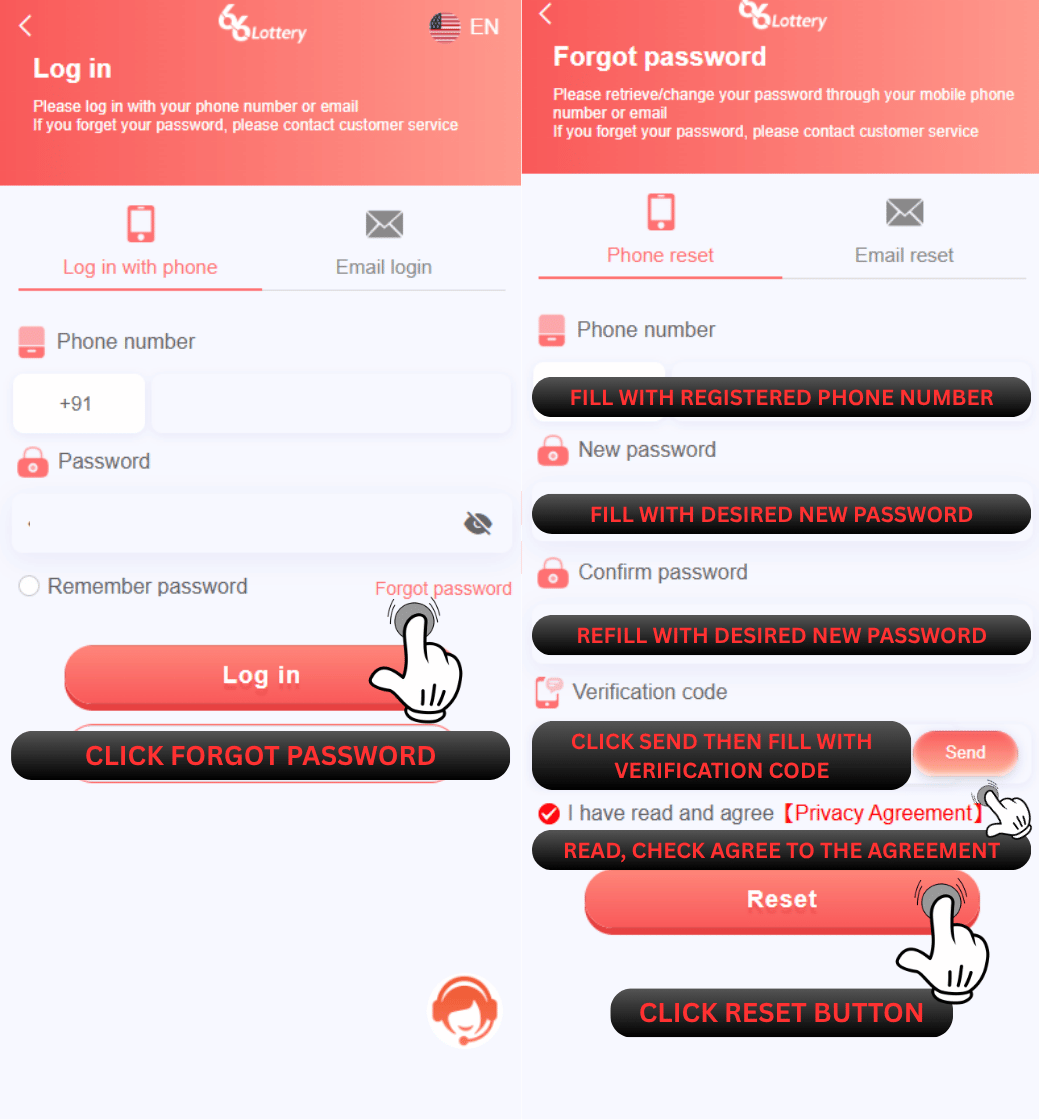
1.Go Login Page
2.Click Forgot password
3.Enter a phone number equal to your registration number
4.Create your new password (min 8 characters with big-small characters)
5.Confirm the new password
6.Click Send button and the verification code will be sent to the phone number you registered
7.After receive the verification code, fill the verification code
8.Click I have read and agree [Privacy Agreement]
9.Click the "Reset" button
After Login
Before Login
Q : How I can create my password please inform me
A : To create a unique password, it must contain BIG and SMALL letters with numbers, and cannot use characters like period or underscore.
Example: QWERtyu1
We recommend to set a strong password to avoid stealing accounts and do not show your password to another.
If you cannot reset your password with the step above, you need to submit on the customer service self-service center and submit all requirement to "Change ID login password" and there will have two method of how to submit in this issue that we will divide as "Before Login" and "After Login" by the following step by step below :
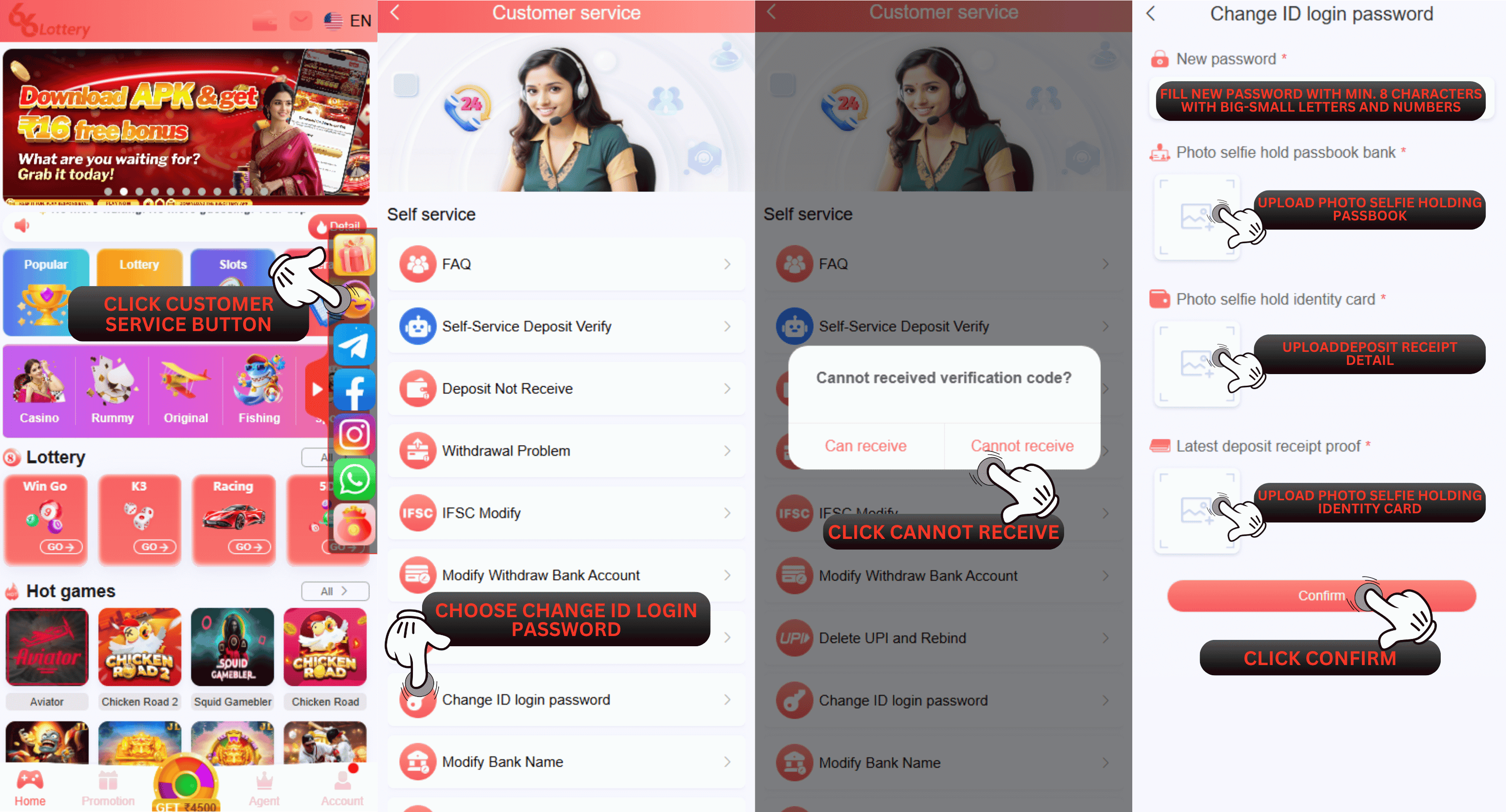
1.Login to your Login Homepage
2.Click Customer Service button
3.Choose Change ID Login Password
4.Choose Cannot Receive
5.Fill the new password that you want to use in the future
6.Upload the selfie picture while you are holding your bank passbook
7.Upload the latest deposit receipt that you made in your ID account
8.Upload the selfie picture while you are holding your identity card
9.Click the "Confirm" button
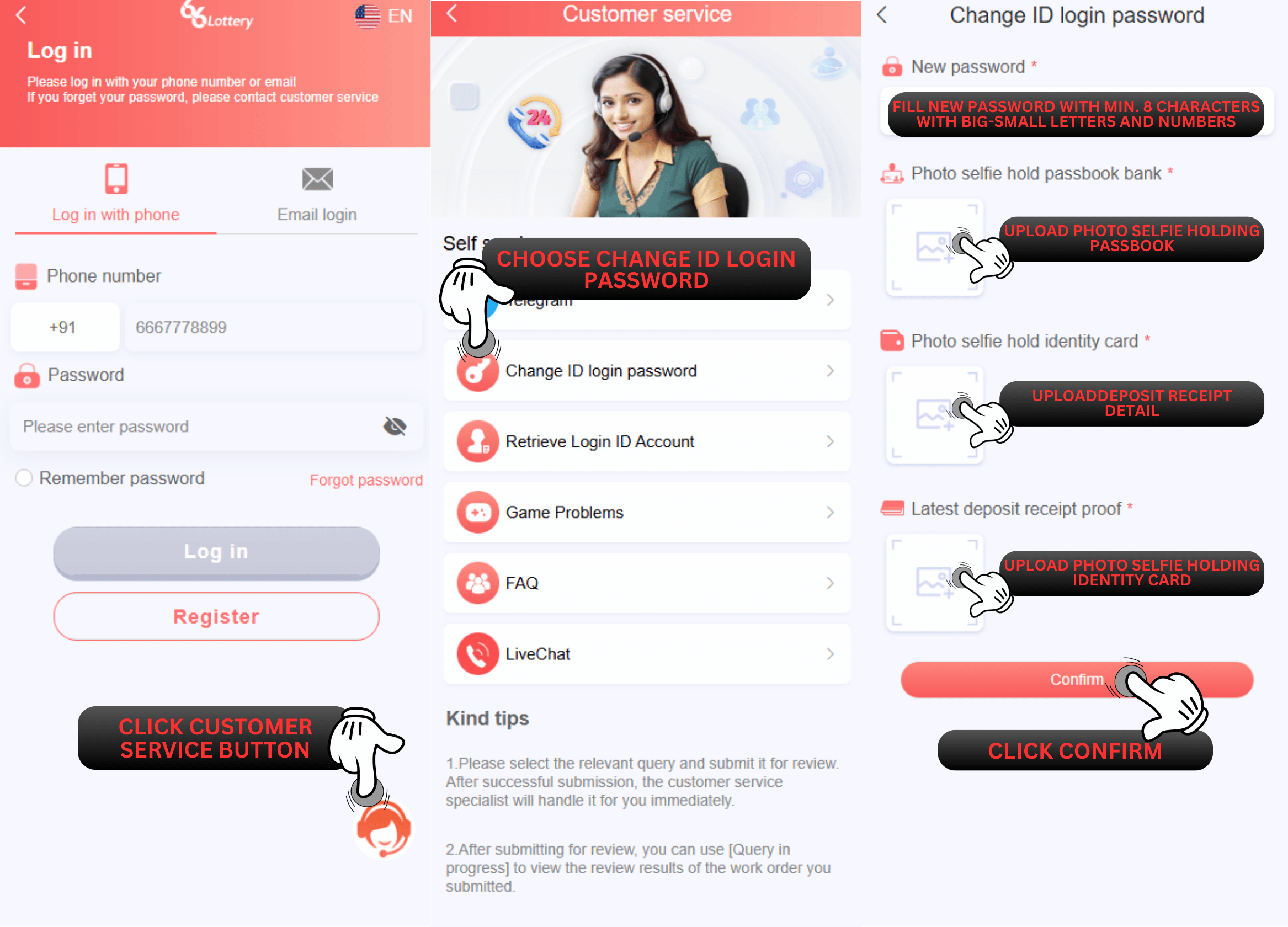
1.Visit our 66 Lottery official link at: https://www.66lottery.vip/
2.Click Customer Service button
3.Choose Change ID Login Password
4.Fill in the correct ID account
5.Fill the new password that you want to use in the future
6.Upload the selfie picture while you are holding your bank passbook
7.Upload the latest deposit receipt that you made in your ID account
8.Upload the selfie picture while you are holding your identity card
9.Click the "Confirm" button
Example: QWERtyu1
We recommend to set a strong password to avoid stealing accounts and do not show your password to another.
If you cannot reset your password with the step above, you need to submit on the customer service self-service center and submit all requirement to "Change ID login password" and there will have two method of how to submit in this issue that we will divide as "Before Login" and "After Login" by the following step by step below :
After Login
Before Login