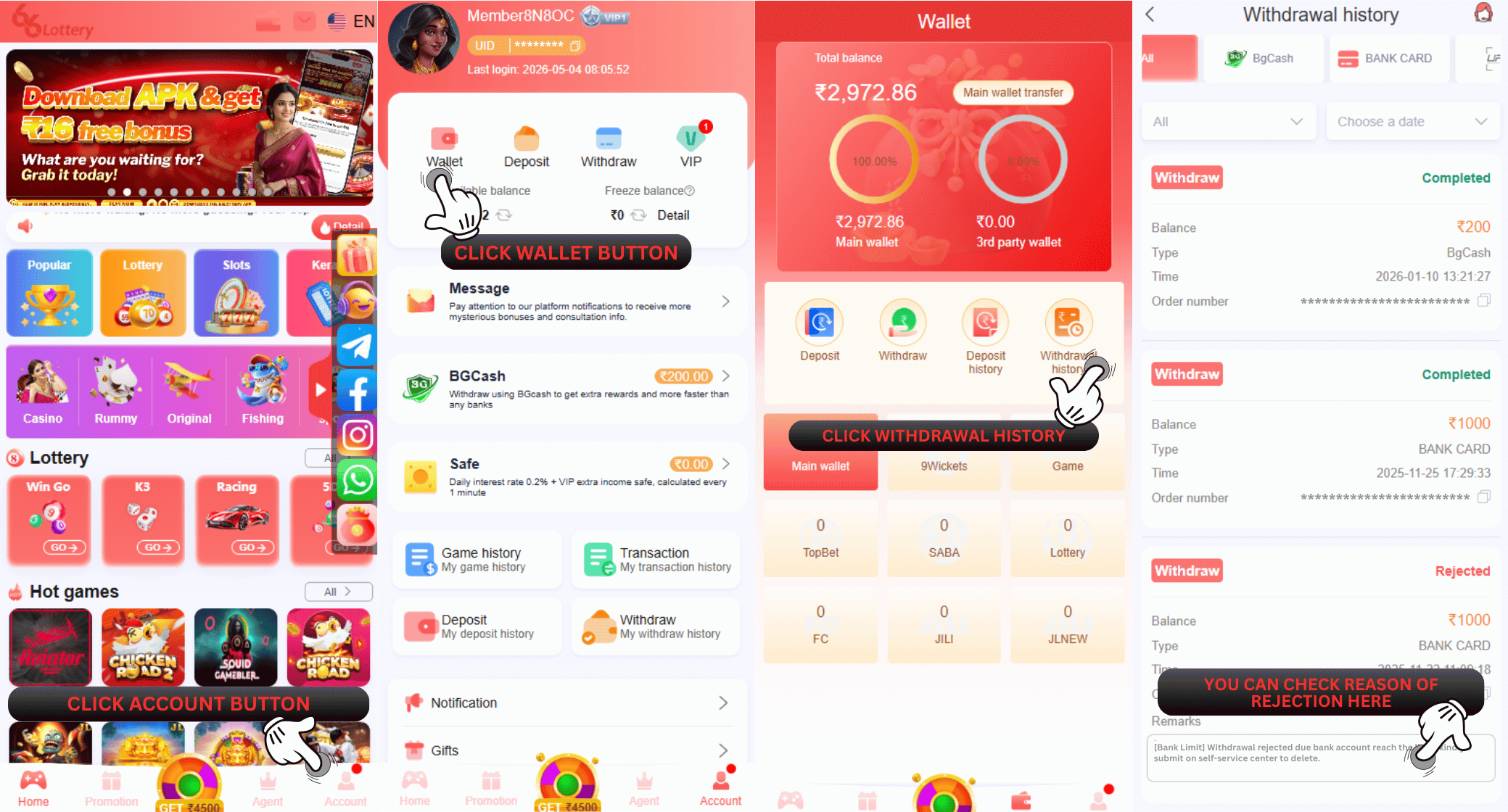
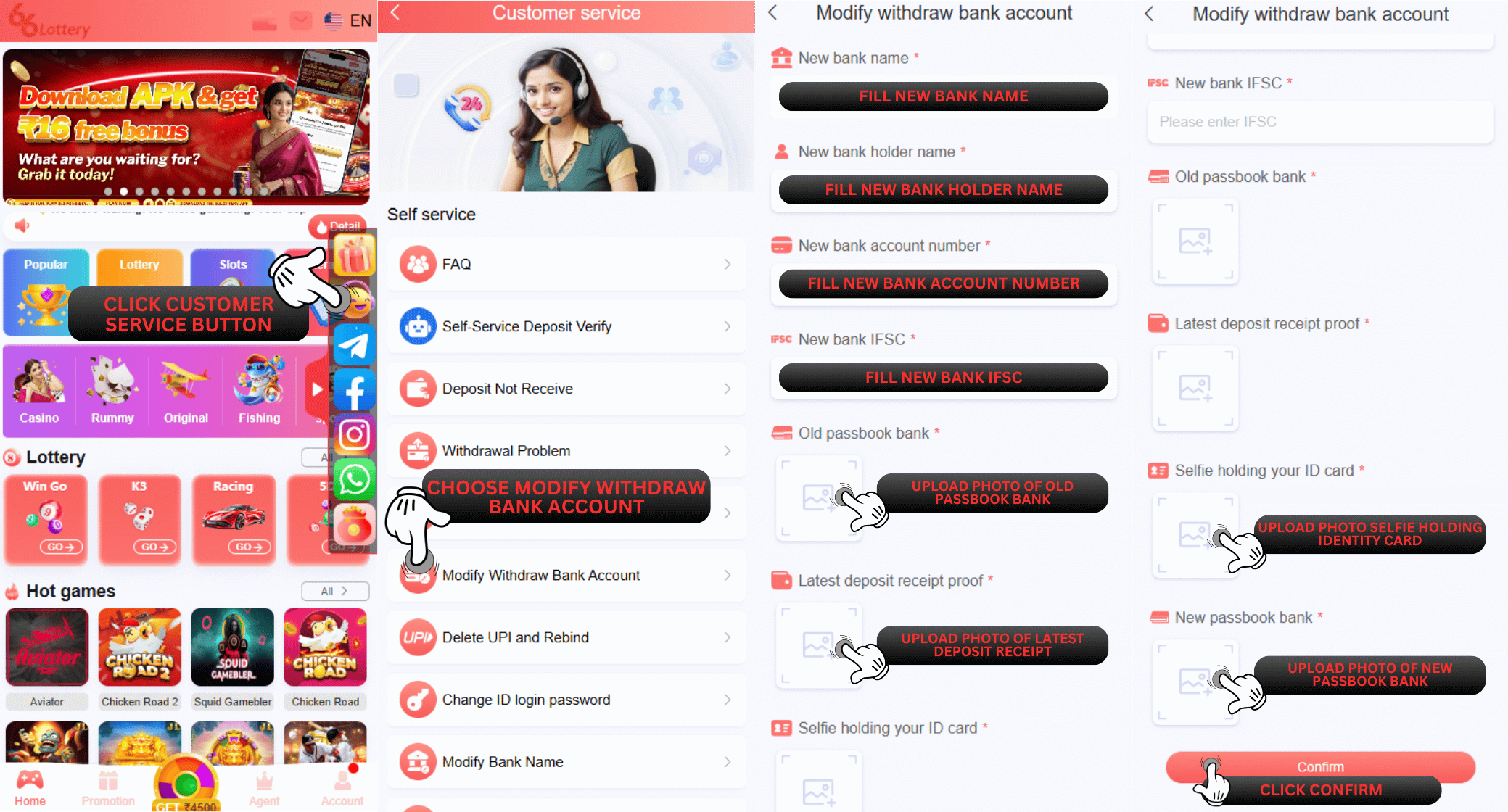
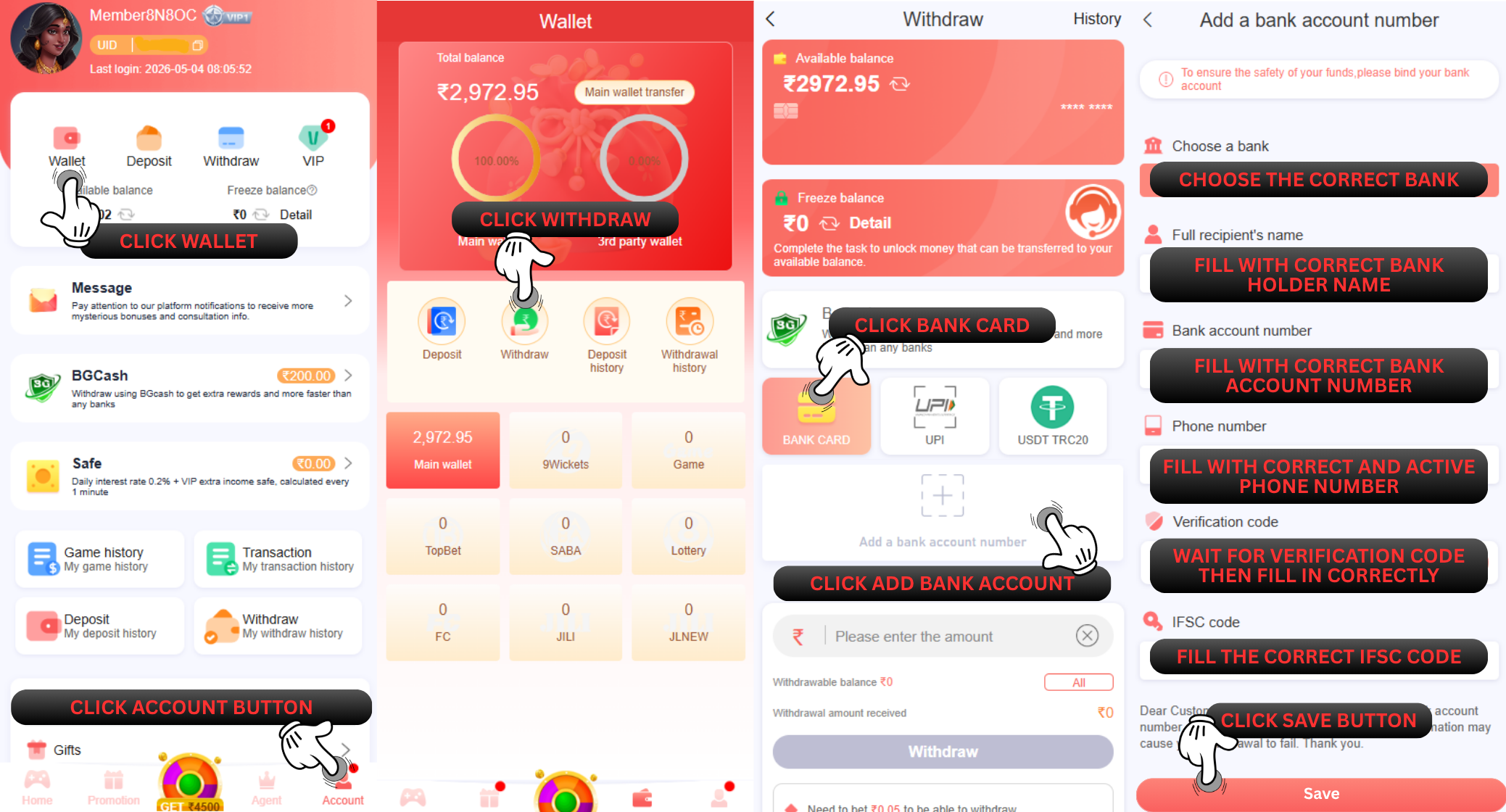
A: After the bank account deletion completed, member can add a new bank account or make a correction to the previous bank information that they bound in their ID account by go to
"Withdraw" page and following the steps below :
1.Click add a bank account
2.Select the bank you want to register with
3.Fill in all the requirement information correctly (your full name, bank account number, active phone number, email address and IFSC code)
4.Click Save and SMS Verification menu will appear
5.Click the Send Button
6.Fill the correct OTP Code
7.Click the "Add Confirm" button